
Never Print a Link You Might Change: The Case for Dynamic QR Codes
A printed QR code lasts for years. The page it points to often does not. Here is how to make sure the code outlives the link.

Somewhere in a drawer in the Gulf, there is a box of 500 business cards with a QR code that no longer works.
The cards were printed two years ago. The QR code pointed to a company page. Then the company changed its website, and the page moved. The cards still look perfect. Every one of them now leads to an error.
This happens all the time, and it is not anyone's fault in particular. Links move. Companies rebrand. People change jobs. The problem is that paper cannot follow.
This guide explains why that happens, how a dynamic QR code solves it, and what to look for before you print your next batch.
A Code Designed for Car Parts
The QR code was invented in 1994 by Denso Wave, then part of the Japanese automotive supplier Denso, to track components in factories. According to Japan's Patent Office, its developer, Masahiro Hara, needed a code that could hold far more than a traditional barcode and be read quickly from any angle. The three square markers in the corners are what let a scanner find the code's position and orientation instantly.
Denso chose not to enforce its patent, which is a large part of why the format spread so widely. The code also has built-in error correction, so it can still be read when part of it is damaged or covered. At the highest level, around 30% of the code can be lost and it still scans.
What the code cannot do is change. Whatever you put into the pattern when you print it is what it will say forever.
The Problem: Links Do Not Last
Most people assume a web address is permanent. The evidence says otherwise.
In May 2024, Pew Research Center published a study of how much online content disappears over time. It found that 38% of webpages that existed in 2013 were no longer accessible a decade later. Even among pages that existed in 2023, 8% were already gone. Nearly a quarter of news pages and around a fifth of government pages they examined contained at least one broken link.
Now think about what a business card QR code usually points to:
A personal page on a company website, which disappears when you change jobs
A LinkedIn profile, whose address changes if you edit your custom URL
A campaign or landing page, which is often removed after the campaign ends
A file in a shared drive, whose sharing settings someone eventually changes
Every one of these is a link with a limited life. Put it in a static QR code and the card has the same limited life.
Static and Dynamic, Explained Simply
There are two ways to make a QR code.
A static QR code stores the final address directly in the pattern. Scan it and your phone goes straight there. It is simple and needs no service behind it, but it can never be edited. Change the destination and you must print a new code.
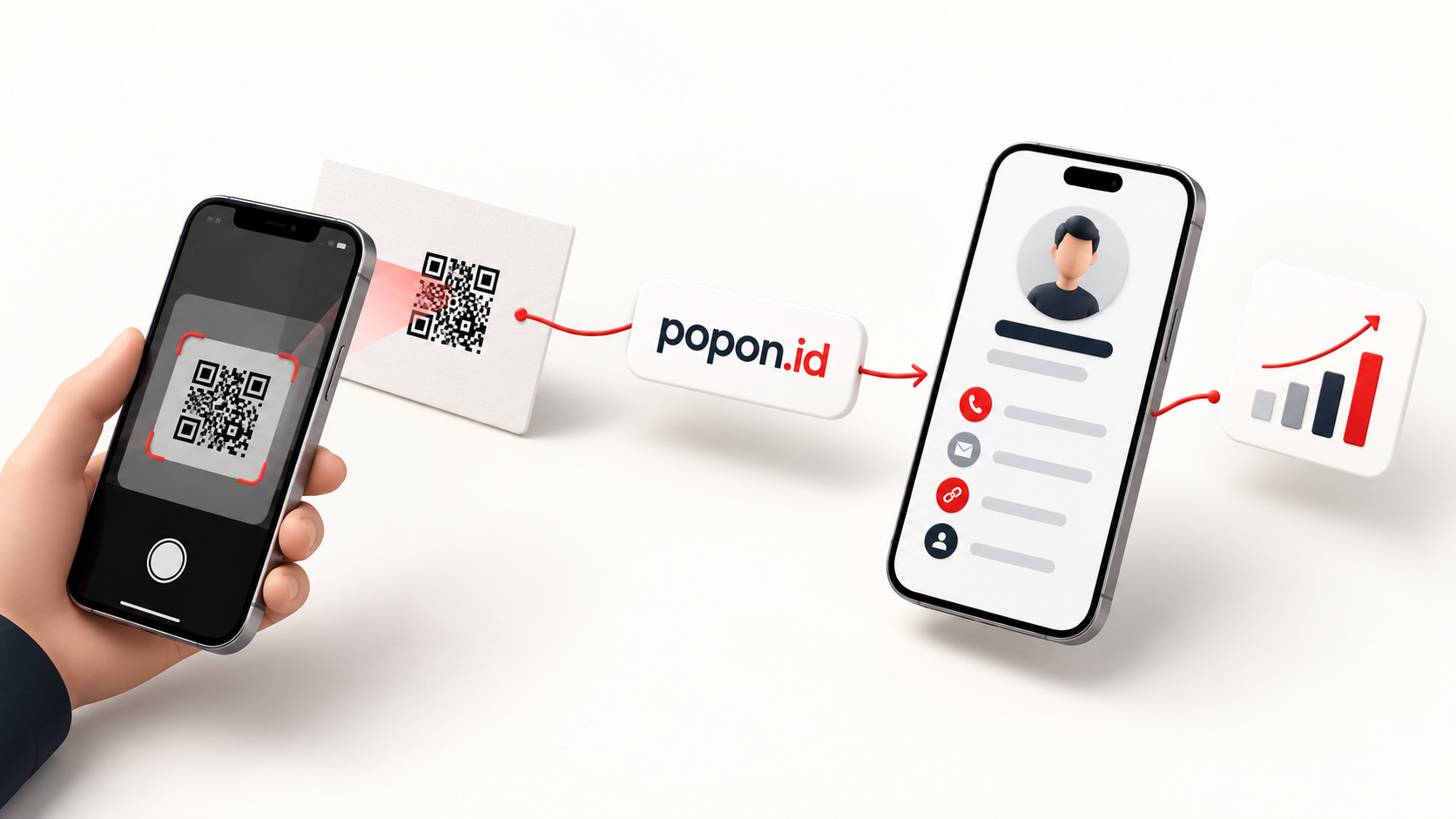
A dynamic QR code stores a short, permanent link instead. When someone scans it, the short link forwards them to wherever you currently want them to go. The printed pattern never changes. Only the destination does, and you can change it whenever you like.
Think of it as the difference between writing someone's home address on an envelope and writing a PO box. When they move, the PO box still works.
Why Dynamic Codes Suit Business Cards
Dynamic codes are useful anywhere something is printed, but they fit business cards especially well.
You can update without reprinting. New role, new company, new website? Point the code somewhere new. Every card already in circulation now leads to the right place.
The pattern is simpler. A short link produces a less dense QR pattern than a long address full of tracking parameters. Less density means larger modules, which means a code that scans more reliably from a small card, in poor light, or at an angle.
You can see whether it works. Because every scan passes through the short link, the service can count scans. A static code tells you nothing.
You can switch it off. If a card is misprinted or a campaign ends, you can deactivate the link rather than leave a code pointing somewhere you no longer control.
The Catch: Who Runs the Short Link?
A dynamic code is only as durable as the service behind it. If that service shuts down, changes its pricing or deletes inactive links, every code printed through it breaks at once.
Before you print, ask:
Who operates the short-link domain? A code that depends on a company you have no relationship with is a risk.
What happens if you stop paying? Some services deactivate codes when a subscription ends.
Can you see your scan numbers? If not, you lose one of the main benefits.
Is the short domain trustworthy to look at? People are right to be cautious about scanning codes, and a recognisable domain helps.
How It Works on POPINID
Every QR code you create on POPINID is dynamic.
The code encodes a short link on popon.id, the short-link domain POPINID runs for exactly this purpose. When someone scans it, popon.id forwards them to the destination you chose: your POPINID profile, or any other page.
From your dashboard you can:
Change the destination at any time, without touching the printed code
See scan counts for each code over the last 7 days, the last 30 days and all time
Style the code with your own colours, dot style and a centre icon, then download it as PNG or SVG
We record scans without storing visitors' IP addresses. You see how often your code is used, not who used it.
If the code points to your POPINID profile, which already holds your current phone, WhatsApp, website and social links, most changes do not even require a new destination. You update the profile and the code keeps working.
Printing Checklist
Before you send your next card to the printer:
Use a dynamic code that points to a link you control.
Test it on at least two phones, one iPhone and one Android, from the printed proof, not the screen.
Keep it large enough. Around 2 cm on each side is a sensible minimum on a card.
Leave a quiet margin of plain space around the code.
Use strong contrast, dark on light. Inverted or low-contrast codes fail on many phones.
Add a short line such as "Scan for my contact card", so people know what they will get.
Put the plain link next to it as well, such as popin.id/yourname, for anyone who prefers to type.
Print Once, Update Forever
A business card should outlast the details on it. A static QR code ties the card to whatever was true on the day you printed it. A dynamic one ties it to you.
Create your dynamic QR code on POPINID.
QR Code is a registered trademark of DENSO WAVE INCORPORATED.
Sources cited in this piece:
Japan Patent Office, QR Code (DENSO WAVE INCORPORATED), innovation profile
Pew Research Center (17 May 2024), When Online Content Disappears
Wikipedia, QR code, on error-correction levels